
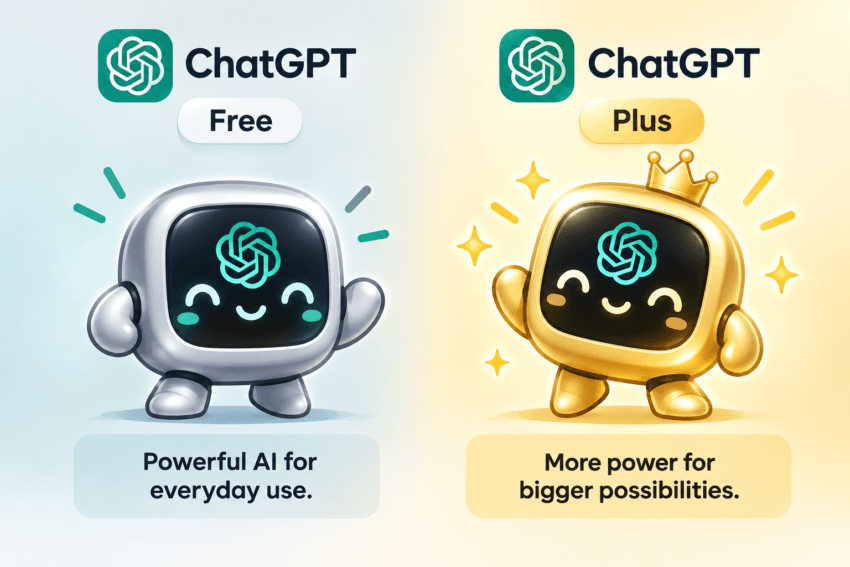
If you’re new to ChatGPT, it’s easy to assume that the paid version must be dramatically better than the free version.
In my experience, it doesn’t feel that way at first.
For simple questions, brainstorming, short writing tasks, or basic explanations, I often don’t notice much difference between Free ChatGPT and the paid version.
If I ask:
“Give me 10 blog post ideas.”
or:
“Rewrite this paragraph so it sounds clearer.”
Free ChatGPT can often handle that just fine.
The difference becomes much easier to notice when I start asking for more specific prompts, several instructions at once, complicated tasks, or a combination of all three.
That’s when Free can sometimes fall short of what I asked for.
Maybe it misses one instruction.
Maybe the formatting isn’t right.
Maybe I have to explain what I meant again.
Sometimes I have to repeat myself, rephrase the prompt, or start over with a completely different prompt.
That isn’t a huge problem when I’m casually experimenting with AI.
It becomes much more annoying when I’m trying to get actual work done.
And that’s really how I look at ChatGPT Free vs. Paid.
The question isn’t simply:
“Which one has more features?”
The better question is:
“When do those extra features actually make a difference?”
Affiliate Disclosure: This article contains affiliate links. If you join Wealthy Affiliate through one of my links, I may earn a commission at no additional cost to you. I recommend only products and services I have personally used or genuinely believe will add value for my readers. All opinions expressed in this review are my own.
What Is ChatGPT?
ChatGPT is an AI assistant from OpenAI that you can talk to in plain language.
You don’t need to learn computer commands or know anything about programming.
You tell ChatGPT what you want.
For example:
“Explain affiliate marketing to me like I’m a beginner.”
That question or instruction is called a prompt.
A prompt can be very short:
“Give me five dinner ideas.”
Or much more specific:
“Give me five inexpensive dinner ideas for four people that take less than 30 minutes and don’t use seafood.”
The more useful context you provide, the easier it usually is for ChatGPT to understand what you’re trying to accomplish.
That doesn’t mean every prompt needs to be long.
It just means clarity matters.
What Can You Use ChatGPT For?
ChatGPT can do far more than answer random questions.
Depending on your plan and the features available to your account, you may be able to use it for:
- Asking questions
- Learning unfamiliar subjects
- Brainstorming ideas
- Writing and rewriting
- Summarizing information
- Researching current topics
- Uploading and analyzing documents
- Working with spreadsheets and data
- Creating images
- Getting help with coding
- Organizing projects
- Using voice conversations
For EasyMonitize readers, some practical examples might include:
- Brainstorming blog topics
- Creating article outlines
- Organizing research
- Improving SEO structure
- Rewriting confusing sections
- Generating social-media ideas
- Comparing products or tools
- Creating supporting graphics
- Reviewing uploaded material
The important thing is not to treat ChatGPT as a magic button.
EasyMonitize’s broader AI guidance follows the same principle: AI works best when it helps with research, organization, writing, and repetitive work without replacing your own judgment, experience, or fact-checking.
ChatGPT Free vs Paid: What’s the Main Difference?
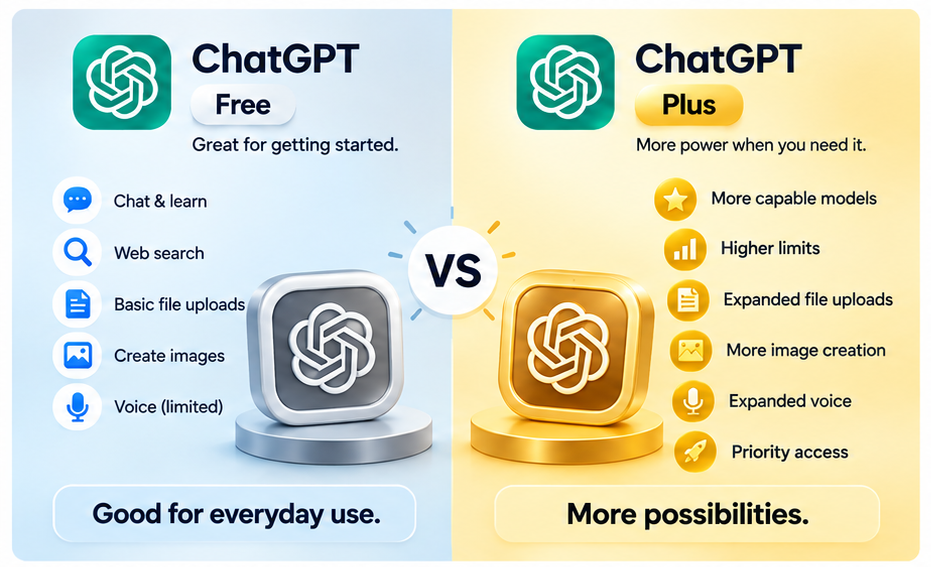
Here’s the simplest explanation:
Free ChatGPT gives you access to many core AI capabilities without a subscription. Paid plans generally give you higher usage limits, broader access to more capable AI models, and greater access to advanced tools.
For this article, I’ll mainly use ChatGPT Plus as the example of a paid plan.
| Feature | Free ChatGPT | Paid ChatGPT |
|---|---|---|
| Cost | No subscription | Monthly subscription |
| Everyday questions | Yes | Yes |
| Writing & brainstorming | Yes | Yes |
| Web research | Yes | Yes |
| File uploads | Available with tighter limits | Greater access |
| Image creation | Available with tighter limits | Greater access |
| Data analysis | Available with tighter limits | Greater access |
| Voice | Available with limits | Expanded access |
| AI model access | More limited | Broader |
| Advanced reasoning | More limited | Greater access |
| Best for | Beginners and casual use | Frequent or demanding use |
The exact models, limits, and plan features can change over time.
That’s why I don’t think it makes sense to base your decision on a model name or a temporary usage number.
What matters more is how you actually use ChatGPT.
My Experience With Free vs Paid ChatGPT
This is where I think many comparison articles miss the point.
When you first start using ChatGPT, Free and Paid can feel surprisingly similar.
If your prompts are straightforward, the difference may be small enough that you don’t care.
For example:
“Give me 10 headline ideas.”
“Explain SEO in simple terms.”
“Rewrite this email.”
“Summarize this paragraph.”
For tasks like those, Free may be all you need.
In my experience, the difference becomes much more obvious when I start asking ChatGPT to do several things at once.
For example:
“Research this topic, check the claims, preserve my writing style, improve the SEO, remove anything outdated, keep it under 1,500 words, and add two CTAs naturally.”
That’s no longer one simple task.
It’s several instructions bundled together.
And this is where I tend to notice the paid version more.
With Free, I may get an answer that is close but not quite right.
It may miss one requirement.
It may ignore part of the prompt.
It may force me to go back and say:
“You forgot this.”
or:
“That isn’t what I meant.”
or:
“Rewrite it again.”
That extra back-and-forth can get irritating.
If I’m playing around with AI, it’s not a big deal.
If I’m working on something professionally, it starts costing me time.
That’s one of the biggest reasons the paid version becomes more useful to me.
What Do You Get With Free ChatGPT?
Free ChatGPT can do a lot.
I think beginners sometimes underestimate it because they assume “free” means extremely limited.
That isn’t necessarily the case.
You can use Free ChatGPT to learn:
- How prompts work
- How AI responds to different instructions
- What kinds of tasks it handles well
- Which tools you actually use
- Where AI fits into your workflow
You can also use it for everyday writing, brainstorming, research, basic file work, images, and other available features.
If you only use ChatGPT occasionally, that may be enough.
And that’s why I wouldn’t tell every beginner to start paying immediately.
Where Does Free ChatGPT Start Feeling Limited?
There are two places where I notice the difference most.
1. Usage Limits
Free users generally have tighter limits on certain tools.
This can matter if you frequently:
- Upload files
- Generate images
- Analyze data
- Use voice
- Perform research
- Work on long or repeated tasks
A casual user may rarely notice these restrictions.
But if you’re using ChatGPT throughout the day, limits can become much more noticeable.
2. More Complicated Instructions
This is the bigger difference for me.
Free ChatGPT can handle a simple prompt.
But as I start combining:
- Multiple instructions
- Specific formatting
- Uploaded references
- Research
- Fact-checking
- Word-count limits
- Style requirements
- SEO requirements
- Editing requests
The job becomes much harder.
That’s when stronger model and reasoning access becomes more valuable.
What Is an AI Model?
You’ll often hear people talk about different ChatGPT models.
You don’t need to memorize all their names.
They change.
For a beginner, it’s more useful to understand what the term means.
An AI model is part of the technology ChatGPT uses to understand your prompt and produce a response.
Imagine two assistants.
You ask both:
“Give me five blog ideas.”
That’s easy.
Now ask:
“Analyze these documents, compare the information, identify anything outdated, research missing details, improve the SEO, and rewrite everything in my style.”
That’s much more demanding.
The harder the task becomes, the more important things like reasoning, instruction-following, context, and accuracy become.
That’s why access to more capable models matters more for complicated work than it does for simple questions.
Does a Better AI Model Actually Matter?
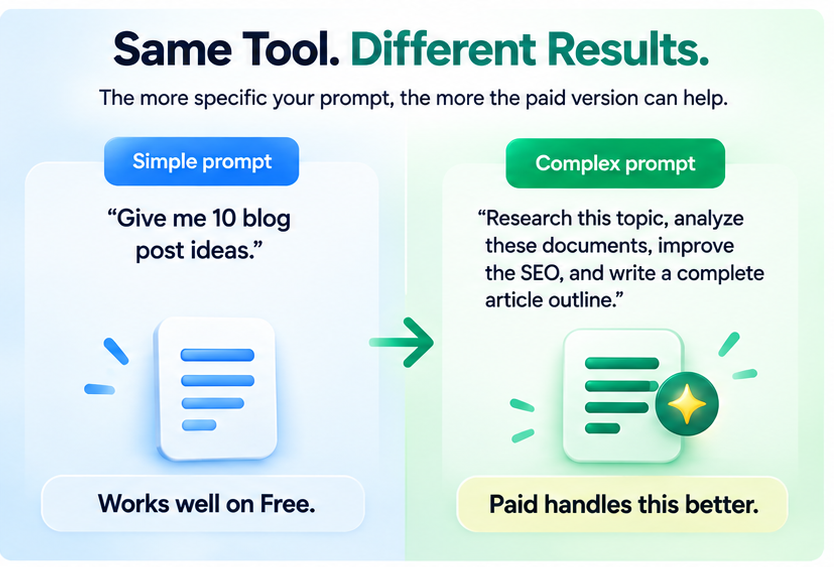
For simple tasks, sometimes not much.
For more complicated work, yes.
Here’s the difference.
Simple Prompt
“Give me 10 ideas for an affiliate marketing article.”
Free ChatGPT can probably help with that easily.
More Advanced Prompt
“Research this affiliate marketing topic, review my existing article, identify outdated claims, preserve my firsthand experience, improve the SEO structure, remove exaggerated statements, add two CTAs, and keep the final article below 1,500 words.”
Now ChatGPT has to:
- Understand the topic
- Follow multiple instructions
- Preserve important content
- Remove weak content
- Maintain a word limit.
- Organize everything
- Keep the tone consistent.
That’s where I notice more value from stronger models.
The difference isn’t simply “Paid gives better answers.”
It’s more like:
Paid becomes more useful when the job becomes more demanding.
File Uploads Are Another Good Example
File uploads are a feature where the difference may not matter until your workflow changes.
Free ChatGPT can work with files.
File uploads aren’t a paid-only feature.
The difference is that Free generally has tighter limits.
If I upload only one document occasionally, I don’t need to care.
But suppose I want to upload:
- An article draft
- A PDF
- Keyword research
- Product documentation
- A spreadsheet
- Several reference files
and then ask ChatGPT to compare or use all of them.
That’s when higher limits become more important.
Again, you may not care about that at all if you use ChatGPT casually.
You start caring when files become part of your normal workflow.
Free vs Paid ChatGPT for Blogging and Online Business

This is where the difference becomes especially relevant to EasyMonitize readers.
Imagine your content workflow looks like this:
Idea → Research → Outline → Draft → Fact-Check → SEO → Images → Promotion
ChatGPT can help with many of those stages.
Free may be perfectly fine if you create content occasionally.
But if you’re regularly:
- Researching topics
- Uploading documents
- Comparing sources
- Rewriting articles
- Creating multiple graphics
- Working with SEO
- Producing social content
- Analyzing data
- Managing several projects
Then the paid advantages start to add up.
This is similar to the way EasyMonitize approaches other AI tools: don’t pay for software simply because it exists. Pay when it solves a problem you actually have.
ChatGPT Free: Pros and Cons
Pros
No subscription cost
You can learn how ChatGPT works without paying.
Good for beginners
It’s a low-risk way to experiment with AI.
Useful for everyday tasks
.
May be enough for casual users
If you don’t use ChatGPT often, there may be little reason to upgrade.
Cons
Tighter usage limits
You may encounter restrictions sooner with files, images, analysis, or other advanced tools.
More complicated tasks can expose limitations
This is where I tend to notice the biggest difference.
More back-and-forth
Repeating or rephrasing prompts can become frustrating.
Paid ChatGPT: Pros and Cons
Pros
Higher limits
Helpful when you use ChatGPT frequently.
Broader model access
Useful for more complicated tasks.
Better fit for professional workflows
Research, documents, content creation, analysis, and multi-step projects become easier to manage.
Greater access to advanced tools
This matters more when those tools are part of your normal work.
Cons
Monthly cost
If you barely use ChatGPT, the additional capability may not justify another subscription.
Paid still isn’t unlimited
You can still encounter restrictions.
Paid does not mean perfect
ChatGPT can still make mistakes.
Casual users may not notice enough difference.
If you mostly ask simple questions, Free may continue to work perfectly well.
Who Should Use Free ChatGPT?
Free makes sense if you:
- Are completely new to AI
- Want to learn how prompts work.
- Use ChatGPT occasionally
- Mostly ask simple questions.
- Rarely upload files
- Don’t regularly hit limits.
I think starting with Free is especially useful because it lets you discover your actual needs.
You don’t have to guess.
Use it.
Experiment.
See what frustrates you.
Then decide.
When Does Paid ChatGPT Start Making Sense?
Paid becomes easier to justify when ChatGPT stops being something you occasionally use and becomes something you rely on.
For example:
You’re regularly using specific or complicated prompts.
You frequently give multiple instructions at once.
You’re working on long or multi-step projects.
You rely heavily on file uploads or analysis.
You regularly generate images or do research.
You frequently hit Free limits.
time.
That’s when the paid advantages become much more noticeable.
Is Paid ChatGPT Worth It?
I wouldn’t answer this with a simple yes or no.
Instead, I’d ask:
Am I frequently frustrated with Free?
If you’re constantly repeating yourself, fixing missed instructions, or hitting limits, that matters.
Are my tasks becoming more complicated?
If you’re moving from simple questions into research, files, analysis, coding, content creation, or long workflows, paid access becomes more useful.
Is ChatGPT saving me enough time to justify paying?
This is probably the most important question.
If you only use ChatGPT a few times a week, Free may be plenty.
If you use it every day for work and it helps you complete important tasks faster, the paid version may be much easier to justify.
Important Things Beginners Should Know About AI
Regardless of which plan you choose:
ChatGPT can be wrong.
AI sometimes produces incorrect or outdated information.
More expensive doesn’t mean automatically correct.
Paid plans can still make mistakes.
Your prompt matters.
Clear instructions and useful context generally help.
Fact-check important information.
Especially prices, financial information, health information, tax details, legal issues, product specifications, and other changing facts.
Review AI-generated content.
EasyMonitize’s own AI guidance emphasizes adding your own experience, research, judgment, and perspective instead of publishing generic AI output.
Protect sensitive information.
Understand the platform’s current privacy controls before sharing confidential data.
The best way I’ve found to think about AI is simple:
Use it as an assistant, not as a replacement for your judgment.
Free or Paid: Which Should a Beginner Choose?
If you’re completely new to ChatGPT, my recommendation is simple:
Start with Free.
Learn how prompts work.
Ask questions.
Experiment with writing.
Try some research.
Use the available tools.
See where ChatGPT helps.
Then pay attention to what starts getting in your way.
Maybe nothing does.
If you’re a casual user, Free may be enough for a long time.
But if you eventually find yourself thinking:
“I keep repeating my instructions.”
“I’m hitting limits.”
“I need to use more files.”
“I rely on ChatGPT every day.”
Then it may be time to compare the current paid plans.
Final Thoughts
My biggest takeaway from using ChatGPT Free and Paid is that the difference isn’t always obvious at first.
For basic prompts, both can feel very similar.
The real difference starts showing up when the work becomes:
- More specific
- More complicated
- More frequent
- More dependent on files
- More reliant on advanced tools
- More important to your workflow
That’s when stronger model access, higher limits, and better instruction-following start to matter more.
Free may still be everything a casual user needs.
Paid becomes more valuable when ChatGPT becomes a tool you depend on.
That’s also the approach I think makes the most sense for EasyMonitize readers:
Don’t pay for a tool simply because it has more features. Pay when those features solve a real problem or save enough time to justify the cost.
That same practical, no-hype approach runs through EasyMonitize’s current guidance on AI tools, blogging, and online business.
Beginner FAQs
What is ChatGPT?
ChatGPT is an AI assistant from OpenAI that can help with questions, writing, brainstorming, research, coding, planning, files, images, and other tasks depending on your account features.
What is a prompt?
A prompt is the question or instruction you give ChatGPT.
Is ChatGPT Free?
Yes. ChatGPT has a Free plan as well as paid plans.
Can Free ChatGPT work with files?
Yes. Free ChatGPT can work with files, but usage limits are generally tighter than on paid plans.
Is Paid ChatGPT smarter than Free?
Paid plans generally provide broader access to more capable models and reasoning options. The difference tends to matter more for complicated, multi-step work than for simple questions.
Does Paid ChatGPT give perfect answers?
No. Paid ChatGPT can still make mistakes. Important information should still be checked.
Does Paid ChatGPT have limits?
Yes. Paying does not necessarily make every feature unlimited.
Should beginners start with Free?
For many beginners, yes. The free version gives you a chance to learn how ChatGPT works and discover what you actually need before adding a subscription.