

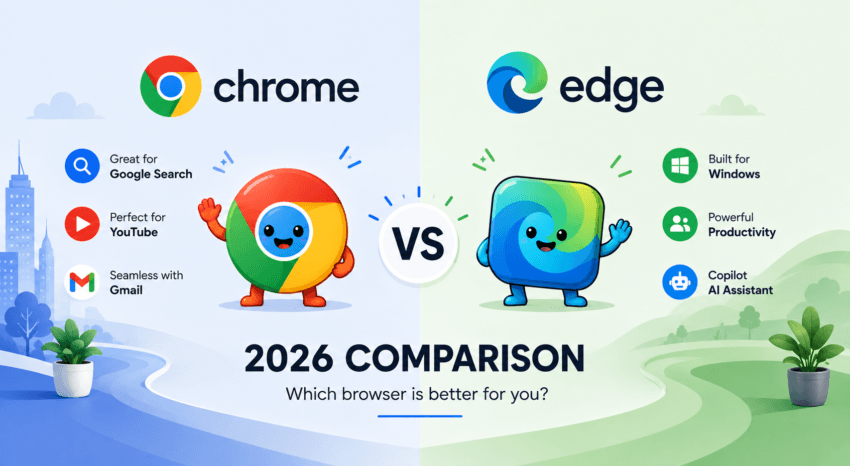
Google Chrome and Microsoft Edge are two of the biggest browsers available in 2026, and on paper, they’re more similar than you might expect.
Both are built on Chromium, both are fast, both support a huge selection of extensions, and both now include AI-powered features. Edge has also come a long way from Microsoft’s older browsers and offers some genuinely useful productivity and tab-management features.
But when it comes to the browser I actually want to use every day, I still prefer Google Chrome.
A big part of that comes down to familiarity. I’ve been using Chrome for a long time, so I already know where everything is and how it works. More importantly, many of the websites and online services I use regularly—especially Google Search, YouTube, and Gmail—are part of Google’s ecosystem.
That makes Chrome feel like the natural place for me to start browsing.
Does that automatically make Chrome better than Edge for everyone? No. But after comparing the two, I think Chrome remains the better choice for my everyday browsing habits.
Affiliate Disclosure: This article contains affiliate links. If you join Wealthy Affiliate through one of my links, I may earn a commission at no additional cost to you. I recommend only products and services I have personally used or genuinely believe will add value for my readers. All opinions expressed in this review are my own.
Here’s how Google Chrome vs Microsoft Edge in 2026 compares and why I’m sticking with Chrome.
Google Chrome vs Microsoft Edge 2026: Quick Comparison
| Category | Google Chrome | Microsoft Edge |
|---|---|---|
| Performance | Fast and reliable | Fast with strong Windows optimization |
| Memory Management | Memory Saver for inactive tabs | Sleeping Tabs for inactive tabs |
| Privacy | Extensive privacy controls | Three levels of tracking prevention |
| Security | Google Safe Browsing | Microsoft Defender SmartScreen |
| AI | Gemini in Chrome | Copilot in Edge |
| Extensions | Chrome Web Store | Edge Add-ons and compatible Chrome extensions |
| Productivity | Clean, familiar experience | More built-in productivity tools |
| Ecosystem | Excellent for Google users | Excellent for Microsoft users |
| My Choice | Google Chrome | Good alternative |
For me, Chrome wins less because of a dramatic technical advantage and more because it fits the way I already use the internet.
Performance and Speed: Chrome vs Edge
Speed is usually one of the first things people look at when comparing browsers.
The reality in 2026 is that Chrome and Edge are both fast.
Since they’re built on Chromium, the everyday differences aren’t always obvious. Whether I’m searching Google, watching YouTube, reading an article, checking email, or opening several tabs at once, I don’t see enough of a performance difference to make speed alone a reason to leave Chrome.
Both browsers have also improved how they manage system resources.
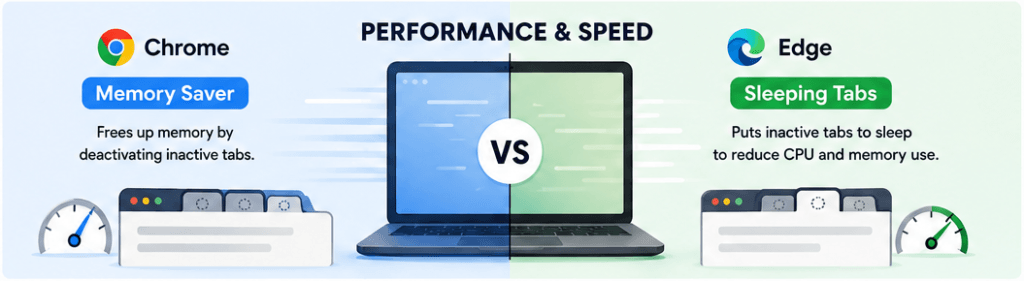
Chrome Memory Saver
Chrome includes Memory Saver, which can deactivate tabs you aren’t actively using. This frees up memory for active tabs and other programs.
That’s useful for me because I don’t always close tabs immediately. I might have Gmail open in one tab, YouTube in another, several Google searches, and a few articles waiting to be read.
Instead of assuming Chrome will always consume excessive memory just because of its reputation, I think it’s fairer to acknowledge how much its performance tools have improved.
Chrome also offers Energy Saver features that reducebackground activity and power consumption.
Edge Sleeping Tabs
Edge has its own answer called Sleeping Tabs.
Eligible tabs that haven’t been used for a while can be put to sleep, reducing their resource consumption until they’re needed again.
This is one area where I think Edge deserves credit. If you regularly keep dozens of tabs open, particularly on Windows, Edge’s resource-management tools may be a strong reason to try it.
But for my normal browsing, I haven’t found the difference significant enough to make me switch.
Which Browser Is Faster?
I wouldn’t call either browser the universal performance winner.
Browser performance changes depending on your computer, operating system, extensions, open tabs, browser settings, and the websites you’re using.
For everyday browsing, both are more than fast enough for me.
My pick: Chrome
Not because Edge is slow—it isn’t—but because Chrome already gives me the performance I need without requiring me to change the browser I’m comfortable using.
Why Familiarity Matters More Than You Might Think
This is probably the biggest reason I prefer Chrome, and it’s something technical browser comparisons sometimes overlook.
I’m used to Chrome.
That might sound small, but when you use a browser every day, familiarity matters.
I know where the settings are. I know how tabs behave. My usual Google services are right there. I don’t have to think about the browser itself—I can simply get online and do what I need to do.
Edge isn’t particularly difficult to use. In fact, anyone familiar with Chrome should be able to learn it quickly because the two browsers share a Chromium foundation.
But I don’t see much value in switching just for the sake of switching.
For me, a new browser would need to offer something significantly better to justify changing a workflow that already works.
So far, Edge hasn’t given me a compelling enough reason to do that.
Google Search, YouTube, Gmail and the Google Ecosystem
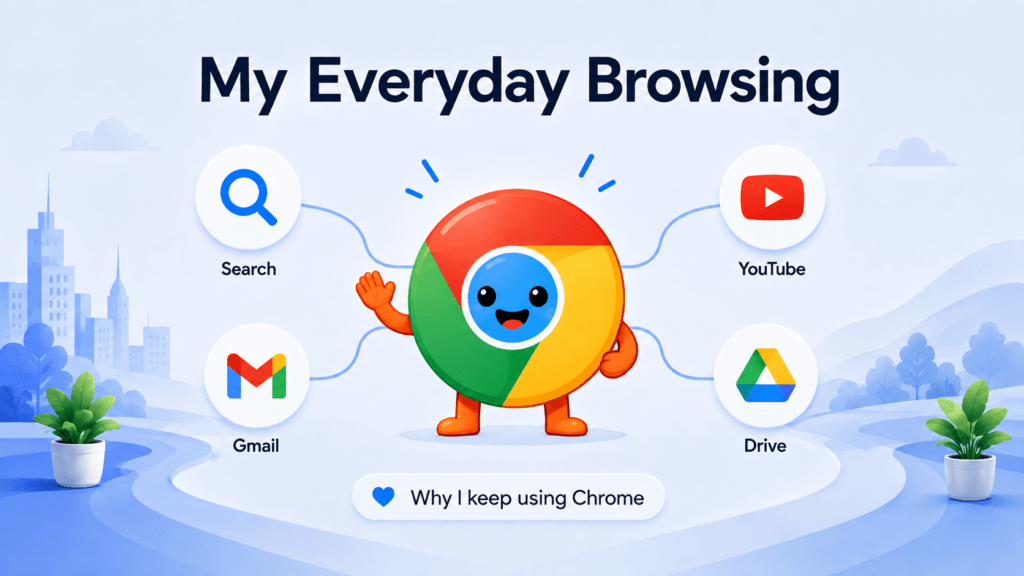
This is where Chrome makes the most sense for me.
A lot of the websites and services I use regularly are Google products.
I use Google Search to find information. I use YouTube for videos. I also regularly use Gmail.
Those services don’t require Chrome—you can use them perfectly well in Edge and other modern browsers.
But because I’m already using several Google services, Chrome feels like the most natural browser to use with them.
Signing in to Chrome with a Google account can also sync supported browser information across devices, including bookmarks and passwords, depending on your sync settings.
The result is a more connected experience.
I don’t have to think about which browser I’m using for which Google service. Chrome becomes my starting point, and from there I can move between Search, Gmail, YouTube, and the rest of the web.
Where Edge Makes More Sense
The same argument applies to Edge if your online life revolves around Microsoft.
If you regularly use Windows, Microsoft 365, OneDrive, Outlook, and Copilot, Edge may feel more natural to use.
That’s why I don’t think the Chrome vs. Edge debate has a single answer for everyone.
Your ecosystem matters.
My daily habits lean toward Google, so Chrome fits me better.
Privacy and Security
Privacy is one area where it’s worth looking beyond personal preference.
Both Chrome and Edge provide substantial security protections, but their privacy controls differ.
Edge Tracking Prevention
Microsoft Edge offers three tracking-prevention levels:
- Basic
- Balanced
- Strict
This makes it relatively easy to decide how aggressively Edge should restrict trackers.
I like that Edge makes these options clear, and privacy-conscious users may appreciate the additional control.
Chrome Privacy Controls
Chrome provides settings for cookies, site permissions, browsing data, security, ad privacy, and synchronization.
Because I use Google’s services frequently, being connected to the Google ecosystem isn’t automatically a disadvantage. Still, I think everyone should spend a few minutes reviewing Chrome’s privacy and sync settings instead of accepting every default.
Incognito vs InPrivate
Chrome offers Incognito mode, while Edge has InPrivate browsing.
Neither makes you anonymous online.
These modes primarily prevent certain browsing information from being stored locally after the private browsing session ends. Websites, network administrators, internet service providers, and other parties may still see some activity.
Security
Chrome uses technologies such as Google Safe Browsing to warn users about potentially dangerous websites and downloads.
Edge provides Microsoft Defender SmartScreen, which similarly helps protect against phishing, malicious websites, and suspicious downloads.
Both browsers receive frequent security updates.
My pick: Tie
I consider both strong enough for mainstream everyday browsing. Your settings and browsing habits are ultimately just as important as the browser logo.
Gemini vs Copilot: AI in Chrome and Edge
AI has made the Chrome vs Edge comparison much more interesting.
Google is bringing Gemini to Chrome, while Microsoft is integrating Copilot into Edge.
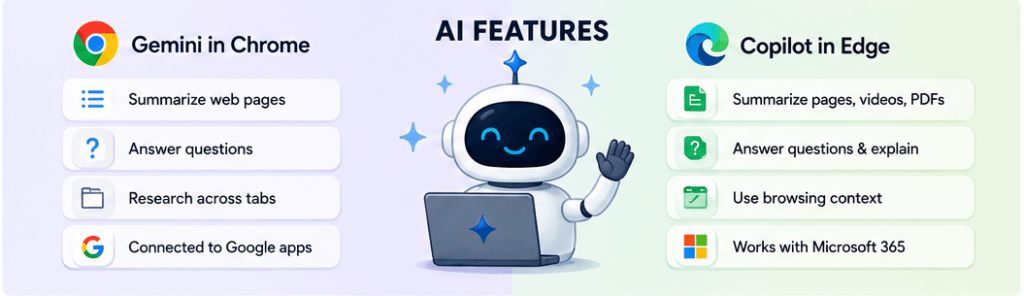
Gemini in Chrome
Depending on availability, device, account, region, and other requirements, Gemini in Chrome can help users understand and work with content they’re viewing.
AI capabilities can include tasks such as:
- Summarizing information
- Answering questions about webpages
- Explaining complicated content
- Assisting with research
- Working with information across tabs
For me, the biggest attraction is how Gemini fits into Google’s broader ecosystem.
Since I’m already using Google services, I would rather have AI functionality added to the browser I already know than switch browsers solely to access a competing AI experience.
Copilot in Edge
Edge’s Copilot integration is one of Microsoft’s strongest arguments for its browser.
Copilot can summarize supported webpages, videos, and PDFs; answer questions about the content; explain information; and assist with research.
For someone who spends much of the day working with Microsoft tools, this can be genuinely useful.
Edge may actually be the more appealing option if browser-based AI assistance and Microsoft integration are among your top priorities.
Which Has Better AI?
I don’t think there’s a simple winner.
These tools evolve quickly, and their availability and capabilities can depend on account type, location, subscription, device, and software version.
For my needs, however, Chrome gets the advantage because Gemini fits into the Google environment I already use.
I’m not choosing my browser based solely on which company currently has the longest list of AI features. I’m choosing based on which AI tools fit most naturally into my existing workflow.
My pick: Chrome for my workflow; Edge may be better for Microsoft-focused users.
Extensions and Productivity
Chrome built much of its reputation around its enormous extension ecosystem.
The Chrome Web Store offers extensions for productivity, accessibility, communication, security, writing, shopping, web development, and almost anything else you can think of.
But Edge has largely closed the gap with the extension.
Because Edge is Chromium-based, it supports Chrome-compatible extensions in addition to those available through Microsoft’s Edge Add-ons store.
That means extensions alone aren’t necessarily a major reason to choose Chrome over Edge anymore.
Where Edge Has an Advantage
Edge offers a strong collection of built-in productivity and tab-management features.
For people who constantly work with large numbers of tabs, projects, documents, and research, those tools can be useful.
And I’ll give Edge credit here: Microsoft has turned it into much more than a basic Windows browser.
But I personally don’t need every productivity feature built directly into my browser.
Sometimes I prefer simplicity.
Chrome gives me the familiar browsing environment, and I can add extensions when I need extra functionality.
My pick: Chrome for simplicity and familiarity; Edge for built-in productivity.
Google Chrome Pros and Cons
Pros
1. Familiar and easy to use
This is the biggest advantage for me. I’ve been using Chrome long enough that browsing feels automatic.
2. Excellent fit with Google services
Google Search, Gmail, YouTube, and other Google products are already central to the way I use the web.
3. Huge extension ecosystem
The Chrome Web Store gives me plenty of options when I need to add functionality.
Cons
1. Resource usage can still add up
Chrome has improved its memory management, but heavy browsing sessions and extensions can still use substantial system resources.
2. Deep Google integration isn’t for everyone
What I consider a benefit may be a drawback for someone trying to reduce their dependence on Google.
3. Some competitors provide stronger built-in productivity features
Edge, in particular, offers several tools that power users may prefer.
Microsoft Edge Pros and Cons
Pros
1. Excellent Windows integration
If Windows and Microsoft services dominate your workflow, Edge makes a lot of sense.
2. Strong productivity features
Tab management and multitasking tools are among Edge’s biggest strengths.
3. Integrated Copilot experience
Microsoft has made AI assistance an important part of the Edge experience.
Cons
1. The interface can feel busy
For someone like me who prefers a familiar, straightforward browsing experience, Edge can sometimes feel like it has more going on than I need.
2. Microsoft integration isn’t especially useful to everyone
The value of many Edge features depends on how heavily you use Microsoft’s ecosystem.
3. It hasn’t given me enough reason to switch
This is entirely personal, but it’s important. Edge can be a good browser, but it’s not one I need to switch to.
Chrome vs Edge: Which Should You Choose?
I think the easiest way to decide is to stop looking for a universal “best browser” and instead look at how you actually use the internet.
Choose Google Chrome if:
- You already feel comfortable using Chrome.
- You regularly use Google Search, Gmail, YouTube, Drive, or other Google services.
- You use Android or other Google products.
- You want easy access to the Chrome Web Store.
- You prefer a relatively familiar browsing experience.
- You don’t have a compelling reason to change browsers.
Choose Microsoft Edge if:
- Windows is your primary operating system.
- You rely heavily on Microsoft services.
- You want more built-in productivity and tab-management features.
- Copilot integration is important to you.
- You regularly keep large numbers of tabs open.
- You want to experiment with an alternative to Chrome without leaving Chromium behind.
Google Chrome vs Microsoft Edge 2026: My Final Verdict
After comparing Google Chrome vs Microsoft Edge in 2026, I’m sticking with Google Chrome.
That’s not because Edge is a bad browser.
Quite the opposite.
Modern Edge is fast, capable, compatible with Chrome extensions, packed with productivity features, and closely connected to Windows and Microsoft’s AI ecosystem.
But I don’t choose a browser based only on which one has the longest feature list.
I choose it based on what feels comfortable and works best for the websites and services I use every day.
For me, that’s Chrome.
I’ve been using it for a long time, so there’s no learning curve. Google Search is one of my main gateways to the web. I use YouTube regularly. Gmail is already part of my online routine.
Chrome brings those pieces together in a browser I’m already comfortable with.
Could I open Google Search, Gmail, or YouTube in Edge? Absolutely.
But the real question is: What would I gain by switching?
Right now, I don’t see enough of an advantage to justify changing a browser that already does what I need.
My final breakdown is:
Best for my everyday browsing: Google Chrome
Best for Google users: Google Chrome
Best for Windows-focused productivity: Microsoft Edge
Best for Microsoft users: Microsoft Edge
Best for extensions: Very close, since Edge supports compatible Chrome extensions
Best for AI: Depends on whether Gemini or Copilot better fits your ecosystem
My overall choice: Google Chrome
The biggest lesson from this comparison is that the technically “best” browser isn’t necessarily the best browser for you.
If you’re comfortable with Chrome and regularly use Google’s services, there’s still a strong reason to stay with it in 2026.
If you’re deeply invested in Windows and Microsoft 365 or want Edge’s additional productivity features, Edge deserves a serious look.
But for me, familiarity, convenience, and the Google ecosystem make Chrome the browser I keep coming back to.
Frequently Asked Questions
Is Google Chrome better than Microsoft Edge in 2026?
For me, yes. I prefer Chrome because I’m already familiar with it and regularly use Google Search, YouTube, Gmail, and other Google services. Edge may be better for someone whose workflow revolves around Windows and Microsoft’s ecosystem.
Is Edge faster than Chrome?
There isn’t a universal winner. Both are Chromium-based and provide fast everyday performance. Results vary depending on your computer, operating system, browser settings, extensions, open tabs, and the websites you visit.
Does Edge use less RAM than Chrome?
Edge uses Sleeping Tabs to reduce resource consumption from eligible inactive tabs, while Chrome uses Memory Saver for a similar purpose. Actual memory usage varies by workload and configuration, so don’t assume one browser will always use less RAM.
Is Edge safer than Chrome?
Both provide strong security features and frequent updates. Chrome uses Google Safe Browsing technologies, while Edge includes Microsoft Defender SmartScreen. Keeping your browser updated and practicing safe browsing habits matter, no matter which one you choose.
Which browser is better for privacy?
Edge provides clearly defined tracking-prevention levels, while Chrome also offers extensive privacy, cookie, security, and site-permission controls. Neither should be treated as an anonymity-focused browser.
Can Edge use Chrome extensions?
Yes. Microsoft Edge supports compatible extensions from the Chrome Web Store in addition to extensions from Microsoft Edge Add-ons.
Which is better, Gemini in Chrome or Copilot in Edge?
It depends on your ecosystem and what you need. Gemini is a natural fit for users invested in Google’s services, while Copilot is particularly attractive to people using Microsoft products and Edge’s built-in productivity features.
Why do I prefer Chrome over Edge?
My main reason is simple: I’m used to Chrome. I also spend a lot of time using Google Search, YouTube, Gmail, and other Google services, so Chrome feels like the natural starting point for my everyday browsing.
Should I switch from Chrome to Edge?
If Chrome already works well for you, you don’t necessarily need to switch. Edge is worth trying if you use Windows and Microsoft services heavily or want its built-in productivity and Copilot features. The best browser is ultimately the one that fits your workflow.